
Vector 2: Geometries, Spatial Operations and Visualization Demo#
UW Geospatial Data Analysis
CEE467/CEWA567
David Shean, Quinn Brencher
Background#
https://autogis-site.readthedocs.io/en/latest/lessons/lesson-1/geometry-objects.html
Take a look at the first few sections of the shapely manual: https://shapely.readthedocs.io/en/stable/manual.html
Many of these are implemented in GeoPandas, and they will operate over GeoDataFrame and GeoSeries objects: https://geopandas.org/en/stable/docs/reference.html
These are common functions, and good to have in your toolkit for additional spatial analysis If you’ve taken a GIS class, you’ve definitely encountered these, probably through some kind of vector toolkit
Interactive Discussion#
GeoDataFrame vs. GeoSeries#
https://geopandas.org/data_structures.html
Indexing and selection -
iloc,locPandas
squeeze: https://pandas.pydata.org/pandas-docs/stable/reference/api/pandas.DataFrame.squeeze.html
Geometry objects#
POINT, LINE, POLYGON
Polygon vs. MultiPolygon
GEOS geometry operations, as exposed by shapely#
GEOS https://libgeos.org/
https://geopandas.org/geometric_manipulations.html
Intersection
Union
Buffer
Spatial joins with GeoPandas#
https://gisgeography.com/spatial-join/
https://pandas.pydata.org/pandas-docs/stable/user_guide/merging.html
Visualization: Chloropleth and Heatmap#
https://geopandas.org/mapping.html
Interactive plotting#
ipyleaflet, folium
Basemap tiles with contextily
Interactive Demo#
### Polygon creation
### Basic geometric operations on GeoDataFrame and Geometry objects
import os
import requests

import matplotlib.pyplot as plt
import numpy as np
import pandas as pd
import geopandas as gpd
from shapely.geometry import Point, Polygon
import xyzservices.providers as xyz
#plt.rcParams['figure.figsize'] = [10, 8]
#%matplotlib widget
Read in the projected GLAS points#
Ideally, use the file with equal-area projection exported during Lab04
Note, you can right-click on a file in the Jupyterlab file browser, and select “Copy Path”, then paste, but make sure you get the correct relative path to the current notebook (
../)If you have issues with your file, you can recreate:
Read the original GLAS csv
Load into GeoDataFrame, define CRS (
'EPSG:4326')Reproject with following PROJ string:
'+proj=aea +lat_1=37.00 +lat_2=47.00 +lat_0=42.00 +lon_0=-114.27'
#Recreating using original csv and proj string from Lab03
aea_proj_str = '+proj=aea +lat_1=37.00 +lat_2=47.00 +lat_0=42.00 +lon_0=-114.27'
csv_fn = '../02_NumPy_Pandas_Matplotlib/data/GLAH14_tllz_conus_lulcfilt_demfilt.csv'
glas_df = pd.read_csv(csv_fn)
glas_gdf = gpd.GeoDataFrame(glas_df, crs='EPSG:4326', geometry=gpd.points_from_xy(glas_df['lon'], glas_df['lat']))
glas_gdf_aea = glas_gdf.to_crs(aea_proj_str)
glas_gdf_aea.head()
| decyear | ordinal | lat | lon | glas_z | dem_z | dem_z_std | lulc | geometry | |
|---|---|---|---|---|---|---|---|---|---|
| 0 | 2003.139571 | 731266.943345 | 44.157897 | -105.356562 | 1398.51 | 1400.52 | 0.33 | 31 | POINT (709465.483 277418.898) |
| 1 | 2003.139571 | 731266.943346 | 44.150175 | -105.358116 | 1387.11 | 1384.64 | 0.43 | 31 | POINT (709431.326 276549.914) |
| 2 | 2003.139571 | 731266.943347 | 44.148632 | -105.358427 | 1392.83 | 1383.49 | 0.28 | 31 | POINT (709424.459 276376.27) |
| 3 | 2003.139571 | 731266.943347 | 44.147087 | -105.358738 | 1384.24 | 1382.85 | 0.84 | 31 | POINT (709417.614 276202.405) |
| 4 | 2003.139571 | 731266.943347 | 44.145542 | -105.359048 | 1369.21 | 1380.24 | 1.73 | 31 | POINT (709410.847 276028.547) |
Create a variable to store the crs of your GeoDataFrame#
Quickly print this out to verify everything looks good
aea_crs = glas_gdf_aea.crs
aea_crs
<Projected CRS: +proj=aea +lat_1=37.00 +lat_2=47.00 +lat_0=42.00 + ...>
Name: unknown
Axis Info [cartesian]:
- E[east]: Easting (metre)
- N[north]: Northing (metre)
Area of Use:
- undefined
Coordinate Operation:
- name: unknown
- method: Albers Equal Area
Datum: World Geodetic System 1984
- Ellipsoid: WGS 84
- Prime Meridian: Greenwich
Read in the state polygons#
states_url = 'http://eric.clst.org/assets/wiki/uploads/Stuff/gz_2010_us_040_00_5m.json'
#states_url = 'http://eric.clst.org/assets/wiki/uploads/Stuff/gz_2010_us_040_00_500k.json'
states_gdf = gpd.read_file(states_url)
Limit to Lower48#
idx = states_gdf['NAME'].isin(['Alaska','Puerto Rico','Hawaii'])
states_gdf = states_gdf[~idx]
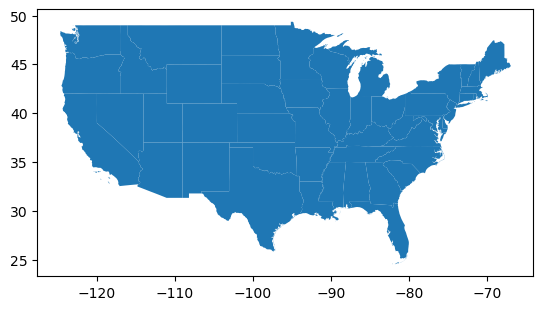
states_gdf.plot();
Reproject the states to match the crs of your points#
states_gdf_aea = states_gdf.to_crs(aea_crs)
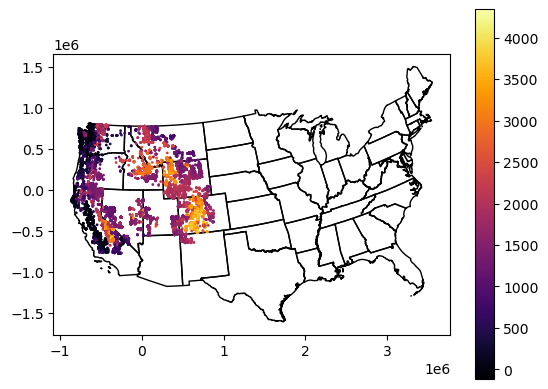
Create a quick plot to verify everything looks good#
Can re-use plotting code near the end of Lab03
f, ax = plt.subplots()
states_gdf_aea.plot(ax=ax, facecolor='none', edgecolor='k')
glas_gdf_aea.plot(ax=ax, column='glas_z', cmap='inferno', markersize=1, legend=True);
Extract the MultiPolygon geometry object for Washington from your reprojected states GeoDataFrame#
Use the state ‘NAME’ value to isolate the approprate GeoDataFrame record for Washington
Assign the
geometryattribute for this record to a new variable calledwa_geomThis is a little tricky
After a boolean filter to get the WA record, you will need to use something like
iloc[0]to extract a GeoSeries, and then isolate thegeometryattributewa_geom = wa_gdf.iloc[0].geometry
Use the python
type()function to verify that your output type isshapely.geometry.multipolygon.MultiPolygon
# This is a new GeoDataFrame with one entry
wa_gdf = states_gdf_aea[states_gdf_aea['NAME'] == 'Washington']
wa_gdf
| GEO_ID | STATE | NAME | LSAD | CENSUSAREA | geometry | |
|---|---|---|---|---|---|---|
| 47 | 0400000US53 | 53 | Washington | 66455.521 | MULTIPOLYGON (((-612752.94 729560.713, -613021... |
type(wa_gdf)
geopandas.geodataframe.GeoDataFrame
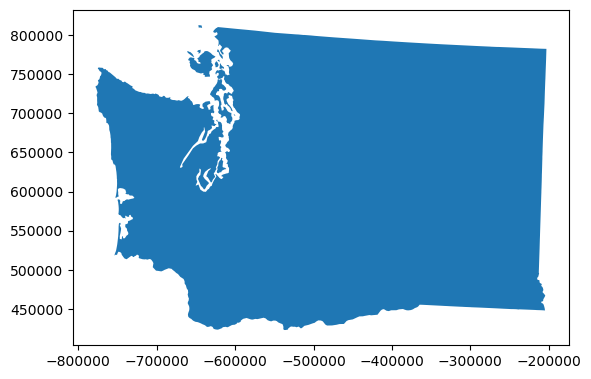
wa_gdf.plot();
Review loc, iloc, squeeze#
wa_gdf.loc[47]
GEO_ID                                              0400000US53
STATE                                                        53
NAME                                                 Washington
LSAD
CENSUSAREA                                            66455.521
geometry      MULTIPOLYGON (((-612752.9400995675 729560.7125...
Name: 47, dtype: object
wa_gdf.iloc[0]
GEO_ID                                              0400000US53
STATE                                                        53
NAME                                                 Washington
LSAD
CENSUSAREA                                            66455.521
geometry      MULTIPOLYGON (((-612752.9400995675 729560.7125...
Name: 47, dtype: object
wa_gdf.squeeze()
GEO_ID                                              0400000US53
STATE                                                        53
NAME                                                 Washington
LSAD
CENSUSAREA                                            66455.521
geometry      MULTIPOLYGON (((-612752.9400995675 729560.7125...
Name: 47, dtype: object
type(wa_gdf.squeeze())
pandas.core.series.Series
# This is the Geometry object for that one entry
wa_geom = wa_gdf.squeeze().geometry
type(wa_geom)
shapely.geometry.multipolygon.MultiPolygon
Inspect the Washington geometry object#
What happens when you pass the geometry object to print()?#
#print(wa_geom)
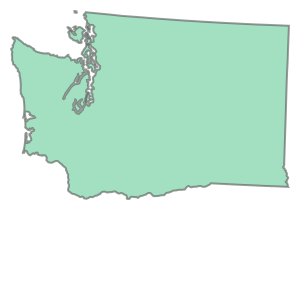
What happens when you execute a notebook cell containing only the geometry object variable name? Oooh.#
Thanks Jupyter/iPython!
wa_geom
What is the geometry type?#
wa_geom.geom_type
'MultiPolygon'
Find the geometric center of WA state#
See the
centroidattributeYou may have to
print()this to see the coordinates
#GeoDataFrame
#c = wa_gdf.centroid.iloc[0]
#MultiPolygon Geometry
c = wa_geom.centroid
c
print(c)
POINT (-467157.4732308432 616343.1305797547)
How many individual polygons are contained in the WA geometry?#
Hint: how would you get the number of elements in a standard Python tuple or list?
If more than one, why?
list(wa_geom.geoms)
[<POLYGON ((-612752.94 729560.713, -613021.334 729273.422, -613662.604 728994...>,
 <POLYGON ((-617655.037 643357.018, -616062.698 642357.024, -616769.029 64134...>,
 <POLYGON ((-620939.954 780369.148, -619290.66 776796.516, -618975.967 775700...>,
 <POLYGON ((-642885.526 812063.484, -642146.899 809220.775, -642669.654 80890...>,
 <POLYGON ((-630090.827 766174.021, -630496.598 765572.995, -630334.207 76438...>,
 <POLYGON ((-658412.977 778304.396, -657537.277 778241.805, -656565.652 77757...>,
 <POLYGON ((-645363.093 780668.028, -644900.327 780993.484, -644161.267 78102...>,
 <POLYGON ((-619129.404 763618.245, -618629.246 763556.206, -617825.142 76168...>,
 <POLYGON ((-623703.558 766331.016, -622375.001 764843.757, -622224.419 76416...>,
 <POLYGON ((-622447.241 767581.22, -622337.148 767789.253, -620504.663 768373...>,
 <POLYGON ((-601852.039 698497.732, -601366.974 698721.75, -600888.341 698525...>,
 <POLYGON ((-615423.687 621888.803, -611189.472 623199.555, -609082.149 62361...>]
len(wa_geom.geoms)
12
wa_geom.area/1E6
175822.70667113317
Cracking open the geometry collection#
Compute the area of each individual polygon#
Remember, this MultiPolygon object is iterable, so maybe list comprehension here?
Store the output areas in a new list or array
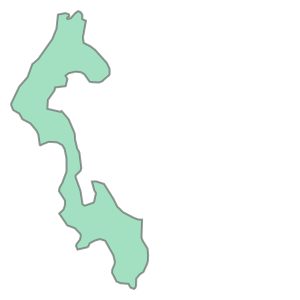
wa_geom.geoms[0]
wa_geom.geoms[0].area
463990359.19588774
poly_area = [x.area for x in wa_geom.geoms]
poly_area
[463990359.19588774,
 107590054.65454032,
 24272338.175023668,
 12379518.750684448,
 623492527.1550797,
 21717224.08404236,
 12991256.233926358,
 21931206.771757536,
 24380918.94184941,
 4004131.839015948,
 1766748.2423283518,
 174504190387.08905]
Isolate and render the polygons that have min and max area#
Remember the NumPy
argmaxfunction? Maybe useful here…
maxidx = np.argmax(poly_area)
minidx = np.argmin(poly_area)
maxidx
np.int64(11)
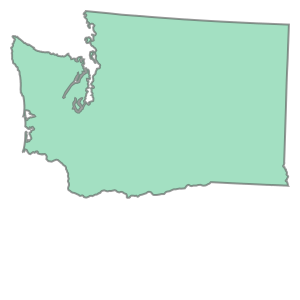
print(wa_geom.geoms[maxidx].area)
wa_geom.geoms[maxidx]
174504190387.08905
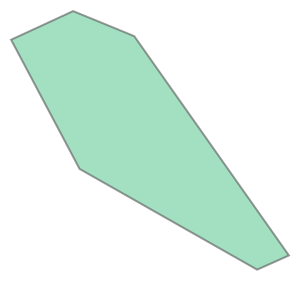
print(wa_geom.geoms[minidx].area)
wa_geom.geoms[minidx]
1766748.2423283518
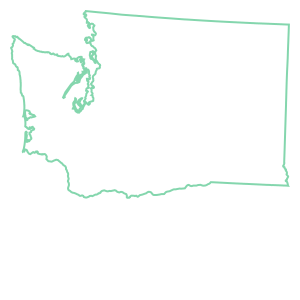
How many vertices are in the largest polygon?#
Let’s start by looking at the
exteriorring of the largest polygon geometryThis is actually a line, so if you ever need to convert a simple polygon geometry to a line geometry, now you know how to do it - use
exterior!You should see an outline of WA state
Now let’s access the coordinates for this line geometry with
coords[:]This will return a list of (x,y) tuples for each vertex
You already know how to determine the number of items in a list!
wa_geom.geoms[maxidx].exterior
type(wa_geom.geoms[maxidx].exterior)
shapely.geometry.polygon.LinearRing
wa_geom.geoms[maxidx].exterior.coords
<shapely.coords.CoordinateSequence at 0x7c6eed737490>
#wa_geom.geoms[maxidx].exterior.coords[:]
# Note -1 to remove repeated coord needed to close the polygon
len(wa_geom.geoms[maxidx].exterior.coords[:]) - 1
1365
How many vertices in the smallest polygon?#
len(wa_geom.geoms[minidx].exterior.coords[:]) - 1
6
Take a look at the list of (x,y) coordinates in the smallest polygon#
What do you notice about the first and last coordinate?
wa_geom.geoms[minidx].exterior.coords[:]
[(-601852.0391967978, 698497.7315981847),
 (-601366.9738585693, 698721.7499047287),
 (-600888.3410211434, 698525.3867155112),
 (-599678.0363506506, 696809.5398449603),
 (-599926.7737744286, 696698.4274957966),
 (-601315.8650362622, 697486.3070502713),
 (-601852.0391967978, 698497.7315981847)]
This is a closed polygon! It starts and ends at the same point. So technically, you have one less vertex than the total number of points in the polygon.
Determine the perimeter of WA state in km#
This should be quick - just use an attribtue of the MultiPolygon geometry
wa_geom.length/1E3
3513.2810843205025
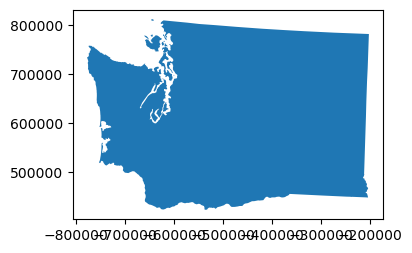
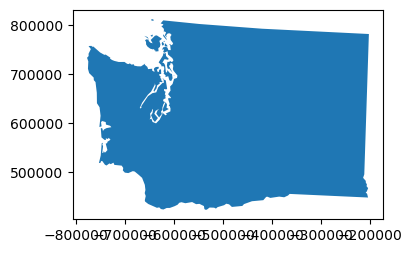
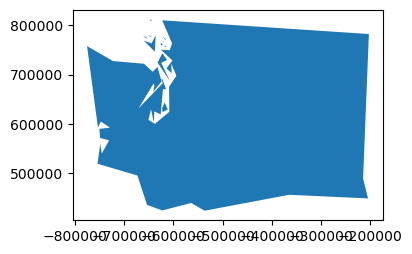
Explore the simplify() method for your MultiPolygon#
This can be very useful if you have complex geometry objects that require a lot of memory
Perhaps a line from a GPS track, or a polygon extracted from a raster with a vertex at each pixel
You can simplify, preserve almost all of the original information, and remove many (sometimes most) of the redundant/unnecessary vertices
https://shapely.readthedocs.io/en/latest/manual.html#object.simplify
Need to provide a
tolerancein units of metersTry 100, 1000, 10000, 100000
How does this affect the perimeter measurement?
def smart_simplify(geom, tol):
    newgeom = geom.simplify(tol)
    newvertcount = sum(len(x.exterior.coords[:]) for x in newgeom.geoms)
    gpd.GeoSeries(newgeom).plot(figsize=(4,3))
    print(tol, '%0.1f' % (newgeom.length/1E3), newvertcount)
print("Tolerance", "Perimieter", "Num vertices")
for i in (100,1000,10000,100000):
    smart_simplify(wa_geom, i)
Tolerance Perimieter Num vertices
100 3512.1 1432
1000 3414.6 421
10000 2985.8 99
100000 2383.0 57
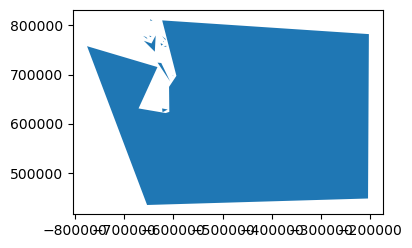
Coastline Paradox#
https://en.wikipedia.org/wiki/Coastline_paradox
Extra Credit: What percentage of the total WA state perimeter is from islands?#
wa_geom.geoms[maxidx].length / wa_geom.length
0.8513022231543143
(1.0 - (wa_geom.geoms[maxidx].length / wa_geom.length))*100
14.869777684568575
Unite the West Coast!#
Let’s create a single Multipolygon for West Coast states: Washington, Oregon and California
Start by extracting those states to a new GeoDataFrame - can use the
isin()function for Pandas, which is similar to built-ininoperation in Python
idx = states_gdf_aea['NAME'].isin(['Washington','Oregon','California'])
westcoast_gdf = states_gdf_aea[idx]
westcoast_gdf
| GEO_ID | STATE | NAME | LSAD | CENSUSAREA | geometry | |
|---|---|---|---|---|---|---|
| 4 | 0400000US06 | 06 | California | 155779.220 | MULTIPOLYGON (((-715337.404 -425936.004, -7153... | |
| 37 | 0400000US41 | 41 | Oregon | 95988.013 | POLYGON ((-594594.782 433232.266, -593459.687 ... | |
| 47 | 0400000US53 | 53 | Washington | 66455.521 | MULTIPOLYGON (((-612752.94 729560.713, -613021... |
westcoast_gdf.plot();
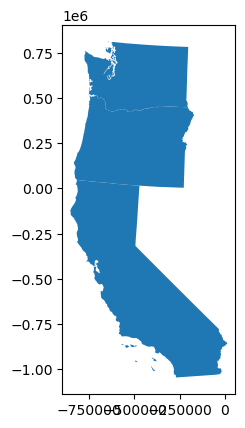
Combine the states as a single MultiPolygon geometry#
See the
unary_all()method
westcoast_geom = westcoast_gdf.union_all()
westcoast_geom
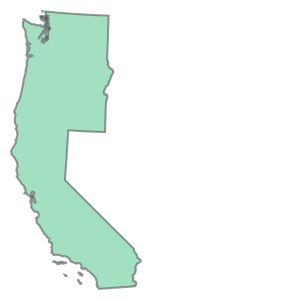
Note: If you have a column that classifies features in a GeoDataFrame (e.g., a column for region with a shared value of ‘West Coast’ for these polygons), you can also use dissolve(by='region') to create a new GeoDataFrame of merged polygons
Now buffer the combined geometry#
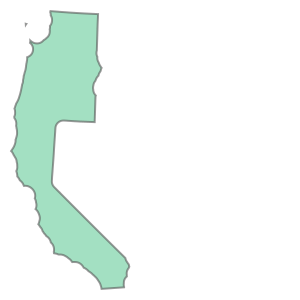
Use a 50 km buffer
westcoast_geom_buff = westcoast_geom.buffer(50000)
westcoast_geom_buff
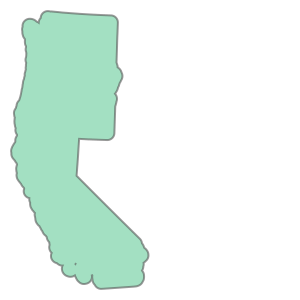
type(westcoast_geom_buff)
shapely.geometry.polygon.Polygon
#Buffer distance can be negative
westcoast_geom_erode = westcoast_geom.buffer(-50000)
westcoast_geom_erode
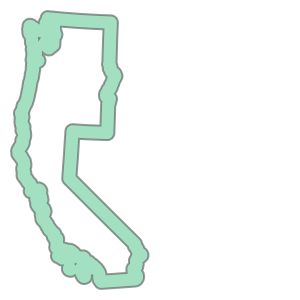
Use a difference operation to isolate the buffered region around the individual polygons#
This is sometimes useful if you need to extract statistics from another dataset
westcoast_geom_buff.difference(westcoast_geom_erode)
westcoast_geom_buff.difference(westcoast_geom)
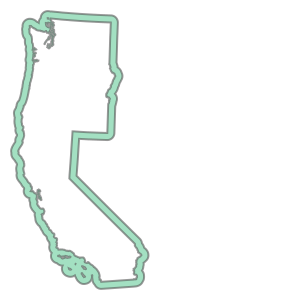
Somebody should put that on a sticker!#
RGI glacier polygons#
Let’s grab some glacier outline poygons from the Randolph Glacier Inventory (RGI) v7.0: https://www.glims.org/RGI/
#!unzip data/RGIv7_latest_02_WesternCanadaUS.zip
#Alternatively, just load zip file and decompress shp directly from url!
rgi_fn = 'data/RGIv7_latest_02_WesternCanadaUS.geojson'
Load RGI shapefile using Geopandas#
Very easy with
read_file()meethod
rgi_gdf = gpd.read_file(rgi_fn)
rgi_gdf.shape
(20539, 14)
rgi_gdf.head()
| anlys_id | glac_id | anlys_time | area | width | length | min_elev | mean_elev | max_elev | glac_name | proc_desc | geog_area | surge_type | geometry | |
|---|---|---|---|---|---|---|---|---|---|---|---|---|---|---|
| 0 | 766495.0 | G250699E42895N | 2006-08-01 | 0.014 | 0.0 | 0.0 | 3488.0 | 0.0 | 3518.0 | WY | Digitization from 1:24000 maps (24K) published... | Conterminous USA | 0.0 | POLYGON ((-109.30078 42.89637, -109.30072 42.8... |
| 1 | 763516.0 | G239017E48473N | 2006-08-01 | 0.010 | 0.0 | 0.0 | 2190.0 | 0.0 | 2311.0 | WA | Digitization from 1:24000 maps (24K) published... | Conterminous USA | 0.0 | POLYGON ((-120.98332 48.47304, -120.98284 48.4... |
| 2 | 764414.0 | G241324E37203N | 2006-08-01 | 0.098 | 0.0 | 0.0 | 3722.0 | 0.0 | 4017.0 | CA | Digitization from 1:24000 maps (24K) published... | Conterminous USA | 0.0 | POLYGON ((-118.677 37.20606, -118.67698 37.205... |
| 3 | 763639.0 | G239094E48483N | 2006-08-01 | 0.020 | 0.0 | 0.0 | 2288.0 | 0.0 | 2551.0 | WA | Digitization from 1:24000 maps (24K) published... | Conterminous USA | 0.0 | POLYGON ((-120.90719 48.48308, -120.90702 48.4... |
| 4 | 764290.0 | G241201E37347N | 2006-08-01 | 0.010 | 0.0 | 0.0 | 3625.0 | 0.0 | 3722.0 | CA | Digitization from 1:24000 maps (24K) published... | Conterminous USA | 0.0 | POLYGON ((-118.79962 37.34798, -118.79948 37.3... |
That’s it!
#By default a new integer index is created.  Can use the RGI ID as our index
rgi_gdf = rgi_gdf.set_index('glac_id')
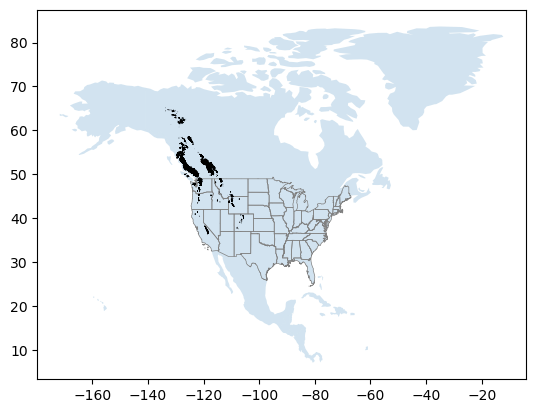
Create a quick plot#
#%matplotlib widget
world = gpd.read_file("https://naciscdn.org/naturalearth/110m/cultural/ne_110m_admin_0_countries.zip")
ax = world[world['CONTINENT'] == 'North America'].plot(alpha=0.2)
states_gdf.plot(ax=ax, facecolor='none', edgecolor='0.5', linewidth=0.5)
rgi_gdf.plot(ax=ax, edgecolor='k', linewidth=0.5);
Clip RGI polygons to WA state#
GeoPandas makes spatial selection easy.
We’ll have two options: 1) using a bounding box, and 2) using an arbitrary polygon.
1. Bounding box#
wa_gdf
| GEO_ID | STATE | NAME | LSAD | CENSUSAREA | geometry | |
|---|---|---|---|---|---|---|
| 47 | 0400000US53 | 53 | Washington | 66455.521 | MULTIPOLYGON (((-612752.94 729560.713, -613021... |
xmin, ymin, xmax, ymax = wa_gdf.to_crs('EPSG:4326').total_bounds
print(xmin, ymin, xmax, ymax)
-124.733174 45.543541 -116.915989 49.002494000000006
Create new GeoDataFrame from output of simple spatial filter with GeoPandas cx function#
https://geopandas.org/indexing.html
rgi_gdf_wa = rgi_gdf.cx[xmin:xmax, ymin:ymax]
print("Number of RGI polygons before:",rgi_gdf.shape[0])
print("Number of RGI polygons after:", rgi_gdf_wa.shape[0])
Number of RGI polygons before: 20539
Number of RGI polygons after: 3298
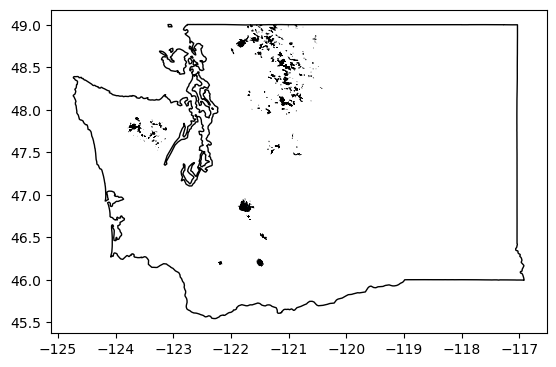
Quick plot to verify#
ax = rgi_gdf_wa.plot(edgecolor='k', linewidth=0.5)
wa_gdf.to_crs('EPSG:4326').plot(ax=ax, facecolor='none')
<Axes: >
2. Clip points to arbitrary Polygon geometry#
Let’s determine convex hull of the complex WA state multipologon
https://en.wikipedia.org/wiki/Convex_hull
wa_gdf_chull = wa_gdf.to_crs('EPSG:4326').convex_hull.squeeze()
#Check the type
type(wa_gdf_chull)
shapely.geometry.polygon.Polygon
Preview geometry#
Note that geometry objects (points, lines, polygons, etc.) will render directly in the Jupyter notebook! Great for quick previews.
wa_gdf_chull
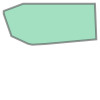
print(wa_gdf_chull)
POLYGON ((-122.294901 45.543541, -122.33150200000001 45.548241000000004, -122.43867400000002 45.56358500000004, -122.64390700000001 45.609739, -122.675008 45.618039000000024, -122.73810900000001 45.644137999999955, -124.080671 46.26723900000002, -124.08218700000002 46.26915900000001, -124.67242700000001 47.964414000000005, -124.733174 48.16339299999998, -124.73182800000001 48.38115699999996, -124.725839 48.386012000000065, -124.71694700000002 48.38977600000004, -123.090546 49.001976000000006, -123.03539300000001 49.00215400000004, -122.75802 49.00235700000007, -122.251063 49.002494000000006, -117.607323 49.000842999999996, -117.26819200000001 48.99992800000003, -117.032351 48.99918799999996, -116.921258 46.16479500000001, -116.915989 45.99541300000002, -121.145534 45.607885999999986, -121.167852 45.60609800000006, -122.26670100000001 45.54384099999998, -122.294901 45.543541))
Compute intersection between all RGI polygons and the convex hull#
Use the GeoDataFrame intersects() function.
This will return a Boolean DataSeries, True if points intersect the polygon, False if they do not
rgi_gdf_idx = rgi_gdf.intersects(wa_gdf_chull)
rgi_gdf_idx
glac_id
G250699E42895N    False
G239017E48473N     True
G241324E37203N    False
G239094E48483N     True
G241201E37347N    False
                  ...
G238195E46902N     True
G238391E46856N     True
G238307E46833N     True
G238240E46829N     True
G238276E46894N     True
Length: 20539, dtype: bool
Extract records with True for the intersection#
print("Number of RGI polygons before:",rgi_gdf.shape[0])
rgi_gdf_wa = rgi_gdf[rgi_gdf_idx]
print("Number of RGI polygons after:", rgi_gdf_wa.shape[0])
Number of RGI polygons before: 20539
Number of RGI polygons after: 3298
Quick plot to verify#
Note latitude range
#rgi_gdf_wa.plot(edgecolor='k', linewidth=0.5);
rgi_gdf_wa_aea = rgi_gdf_wa.to_crs(aea_crs)
rgi_gdf_wa_aea.geometry.centroid.x
glac_id
G239017E48473N   -497237.454588
G239094E48483N   -491531.011545
G238461E46196N   -559772.039143
G238476E46179N   -558820.303912
G236347E47827N   -702158.824421
                      ...
G238195E46902N   -573319.398071
G238391E46856N   -558851.893050
G238307E46833N   -565475.511406
G238240E46829N   -570590.824149
G238276E46894N   -567218.412913
Length: 3298, dtype: float64
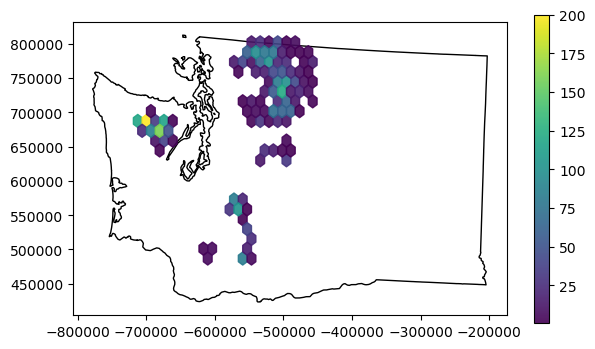
f, ax = plt.subplots(figsize=(7,4))
wa_gdf.plot(ax=ax, facecolor='none')
x = rgi_gdf_wa_aea.geometry.centroid.x
y = rgi_gdf_wa_aea.geometry.centroid.y
hb = ax.hexbin(x, y, gridsize=20, mincnt=1, vmax=200, alpha=0.9)
ax.set_aspect('equal')
plt.colorbar(hb, ax=ax);
Merge GLAS points and RGI polygons#
Earlier we computed some statistics for the full CONUS GLAS sample and hex bins. Now let’s analyze the GLAS points that intersect each RGI glacier polygon.
One approach would be to loop through each glacier polygon, and do an intersection operation with all points. But this is inefficient, and doesn’t scale well. It is much more efficient to do a spatial join between the points and the polygons, then groupby and aggregate to compute the relevant statistics for all points that intersect each glacier polygon.
You may have learned how to perform a join or spatial join in a GIS course. So, do we need to open ArcMap or QGIS here? Do we need a full-fledged spatial database like PostGIS? No! GeoPandas has you covered.
Start by reviewing the Spatial Join documentation here: http://geopandas.org/mergingdata.html
Use the geopandas
sjoinmethod: http://geopandas.org/reference/geopandas.sjoin.html
First, we need to make sure all inputs have the same projection#
Reproject the RGI polygons to match our point CRS (custom Albers Equal-area)
glas_gdf_aea.crs
<Projected CRS: +proj=aea +lat_1=37.00 +lat_2=47.00 +lat_0=42.00 + ...>
Name: unknown
Axis Info [cartesian]:
- E[east]: Easting (metre)
- N[north]: Northing (metre)
Area of Use:
- undefined
Coordinate Operation:
- name: unknown
- method: Albers Equal Area
Datum: World Geodetic System 1984
- Ellipsoid: WGS 84
- Prime Meridian: Greenwich
rgi_gdf_wa_aea.crs
<Projected CRS: +proj=aea +lat_1=37.00 +lat_2=47.00 +lat_0=42.00 + ...>
Name: unknown
Axis Info [cartesian]:
- E[east]: Easting (metre)
- N[north]: Northing (metre)
Area of Use:
- undefined
Coordinate Operation:
- name: unknown
- method: Albers Equal Area
Datum: World Geodetic System 1984
- Ellipsoid: WGS 84
- Prime Meridian: Greenwich
Optional: isolate relevant columns to simplify our output#
glas_gdf_aea.columns
Index(['decyear', 'ordinal', 'lat', 'lon', 'glas_z', 'dem_z', 'dem_z_std',
       'lulc', 'geometry'],
      dtype='object')
rgi_gdf_wa_aea.columns
Index(['anlys_id', 'anlys_time', 'area', 'width', 'length', 'min_elev',
       'mean_elev', 'max_elev', 'glac_name', 'proc_desc', 'geog_area',
       'surge_type', 'geometry'],
      dtype='object')
glas_col = ['decyear', 'glas_z', 'geometry']
rgi_col = ['area', 'glac_name', 'geometry']

glas_gdf_aea_lite = glas_gdf_aea[glas_col]
rgi_gdf_wa_aea_lite = rgi_gdf_wa_aea[rgi_col]
glas_gdf_aea_lite
| decyear | glas_z | geometry | |
|---|---|---|---|
| 0 | 2003.139571 | 1398.51 | POINT (709465.483 277418.898) |
| 1 | 2003.139571 | 1387.11 | POINT (709431.326 276549.914) |
| 2 | 2003.139571 | 1392.83 | POINT (709424.459 276376.27) |
| 3 | 2003.139571 | 1384.24 | POINT (709417.614 276202.405) |
| 4 | 2003.139571 | 1369.21 | POINT (709410.847 276028.547) |
| ... | ... | ... | ... |
| 65231 | 2009.775995 | 1556.16 | POINT (-243698.93 -453031.309) |
| 65232 | 2009.775995 | 1556.02 | POINT (-243717.616 -452858.707) |
| 65233 | 2009.775995 | 1556.19 | POINT (-243736.378 -452685.769) |
| 65234 | 2009.775995 | 1556.18 | POINT (-243755.227 -452512.827) |
| 65235 | 2009.775995 | 1556.32 | POINT (-243774.072 -452339.774) |
65236 rows × 3 columns
rgi_gdf_wa_aea_lite
| area | glac_name | geometry | |
|---|---|---|---|
| glac_id | |||
| G239017E48473N | 0.010000 | WA | POLYGON ((-497307.03 740049.676, -497270.057 7... |
| G239094E48483N | 0.020000 | WA | POLYGON ((-491593.089 740721.949, -491579.174 ... |
| G238461E46196N | 0.017000 | WA | POLYGON ((-559673.366 491325.351, -559683.915 ... |
| G238476E46179N | 0.015000 | WA | POLYGON ((-558998.538 489268.298, -558995.149 ... |
| G236347E47827N | 0.019000 | WA | POLYGON ((-702008.885 687322.366, -702006.044 ... |
| ... | ... | ... | ... |
| G238195E46902N | 0.011624 | WA | POLYGON ((-573295.376 571181.887, -573295.329 ... |
| G238391E46856N | 0.033371 | WA | POLYGON ((-558919.795 564913.628, -558918.637 ... |
| G238307E46833N | 0.017606 | Whitman Glacier | POLYGON ((-565405.49 562981.446, -565405.429 5... |
| G238240E46829N | 0.092248 | The Turtle | POLYGON ((-570456.17 562862.434, -570453.613 5... |
| G238276E46894N | 0.245708 | None | POLYGON ((-567244.662 570697.792, -567238.43 5... |
3298 rows × 3 columns
Now try a spatial join between these two#
Use the GLAS points as the “left” GeoDataFrame and the RGI polygons as the “right” GeoDataFrame
Start by using default options (
op='intersects', how='inner')Note the output geometry type and columns
#gpd.sjoin?
%%time
glas_gdf_aea_rgi = gpd.sjoin(glas_gdf_aea_lite, rgi_gdf_wa_aea_lite, how='inner')
glas_gdf_aea_rgi
CPU times: user 26.5 ms, sys: 0 ns, total: 26.5 ms
Wall time: 25.3 ms
| decyear | glas_z | geometry | glac_id | area | glac_name | |
|---|---|---|---|---|---|---|
| 1032 | 2003.162887 | 1798.45 | POINT (-536016.695 765363.954) | G238471E48673N | 0.415698 | None |
| 5364 | 2003.753883 | 1512.90 | POINT (-530581.785 690172.726) | G238622E48004N | 0.205413 | None |
| 5365 | 2003.753883 | 1438.98 | POINT (-530593.089 690345.943) | G238622E48004N | 0.205413 | None |
| 5385 | 2003.753883 | 1693.92 | POINT (-535424.201 762962.461) | G238478E48651N | 0.018952 | WA |
| 5393 | 2003.753883 | 1826.79 | POINT (-535556.175 765036.88) | G238471E48673N | 0.415698 | None |
| ... | ... | ... | ... | ... | ... | ... |
| 62753 | 2009.193240 | 1808.38 | POINT (-609610.287 497094.966) | G237806E46202N | 1.739850 | Crater Glacier |
| 62754 | 2009.193240 | 1768.04 | POINT (-609617.471 497268.525) | G237806E46202N | 1.739850 | Crater Glacier |
| 62755 | 2009.193240 | 1702.59 | POINT (-609623.984 497441.798) | G237806E46202N | 1.739850 | Crater Glacier |
| 63346 | 2009.215123 | 2585.78 | POINT (-572545.896 570214.657) | G238212E46896N | 2.657990 | Russell Glacier |
| 63347 | 2009.215123 | 2291.64 | POINT (-572614.622 571257.146) | G238212E46896N | 2.657990 | Russell Glacier |
554 rows × 6 columns
Check number of records#
print("Number of RGI polygons before:", rgi_gdf_wa_aea_lite.shape[0])
print("Number of GLAS points before:", glas_gdf_aea.shape[0])
print("Number of GLAS points that intersect RGI polygons:", glas_gdf_aea_rgi.shape[0])
Number of RGI polygons before: 3298
Number of GLAS points before: 65236
Number of GLAS points that intersect RGI polygons: 554
Check number of GLAS points per RGI polygon#
glas_gdf_aea_rgi
| decyear | glas_z | geometry | glac_id | area | glac_name | |
|---|---|---|---|---|---|---|
| 1032 | 2003.162887 | 1798.45 | POINT (-536016.695 765363.954) | G238471E48673N | 0.415698 | None |
| 5364 | 2003.753883 | 1512.90 | POINT (-530581.785 690172.726) | G238622E48004N | 0.205413 | None |
| 5365 | 2003.753883 | 1438.98 | POINT (-530593.089 690345.943) | G238622E48004N | 0.205413 | None |
| 5385 | 2003.753883 | 1693.92 | POINT (-535424.201 762962.461) | G238478E48651N | 0.018952 | WA |
| 5393 | 2003.753883 | 1826.79 | POINT (-535556.175 765036.88) | G238471E48673N | 0.415698 | None |
| ... | ... | ... | ... | ... | ... | ... |
| 62753 | 2009.193240 | 1808.38 | POINT (-609610.287 497094.966) | G237806E46202N | 1.739850 | Crater Glacier |
| 62754 | 2009.193240 | 1768.04 | POINT (-609617.471 497268.525) | G237806E46202N | 1.739850 | Crater Glacier |
| 62755 | 2009.193240 | 1702.59 | POINT (-609623.984 497441.798) | G237806E46202N | 1.739850 | Crater Glacier |
| 63346 | 2009.215123 | 2585.78 | POINT (-572545.896 570214.657) | G238212E46896N | 2.657990 | Russell Glacier |
| 63347 | 2009.215123 | 2291.64 | POINT (-572614.622 571257.146) | G238212E46896N | 2.657990 | Russell Glacier |
554 rows × 6 columns
glas_gdf_aea_rgi['glac_id'].value_counts()
glac_id
G237806E46202N    131
G238391E48814N     33
G238415E48825N     33
G236351E47790N     28
G236663E47729N     23
                 ...
G238210E46865N      1
G238212E46867N      1
G238204E46908N      1
G239246E48490N      1
G236683E47825N      1
Name: count, Length: 81, dtype: int64
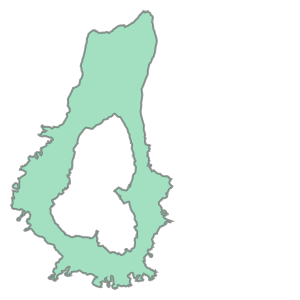
Which glacier has the greatest number of points?#
Some notes on indexing and selecting from Pandas DataFrame: http://pandas.pydata.org/pandas-docs/stable/user_guide/indexing.html
https://www.shanelynn.ie/select-pandas-dataframe-rows-and-columns-using-iloc-loc-and-ix/
Here we’ll use the iloc function to pull out the record for the RGIId key with the highest point count.
label = glas_gdf_aea_rgi['glac_id'].value_counts().index[0]
print(label)
G237806E46202N
rgi_maxcount = rgi_gdf_wa_aea_lite[rgi_gdf_wa_aea_lite.index == label]
rgi_maxcount
| area | glac_name | geometry | |
|---|---|---|---|
| glac_id | |||
| G237806E46202N | 1.73985 | Crater Glacier | POLYGON ((-609129.82 497214.762, -609130.198 4... |
rgi_maxcount.iloc[0].geometry
Interactive plots#
Commented out to reduce notebook filesize
#rgi_maxcount.explore(tiles=xyz.Esri.WorldImagery)
#glas_gdf_aea_rgi.explore()
# m = rgi_gdf_wa_aea_lite.explore(tiles=xyz.Esri.WorldTopoMap)
# glas_gdf_aea_rgi.explore(m=m, column='glas_z', cmap='inferno')
#m.save('wa_glas_rgi.html')
def plotcol(gdf, col='glas_z'):
    clim = gdf[col].quantile((0.02, 0.98)).values
    m = gdf[::1].explore(tiles=xyz.Esri.WorldImagery, column=col, cmap='inferno', vmin=clim[0], vmax=clim[1])
    return m
#plotcol(glas_gdf_aea_rgi, col='glas_z')